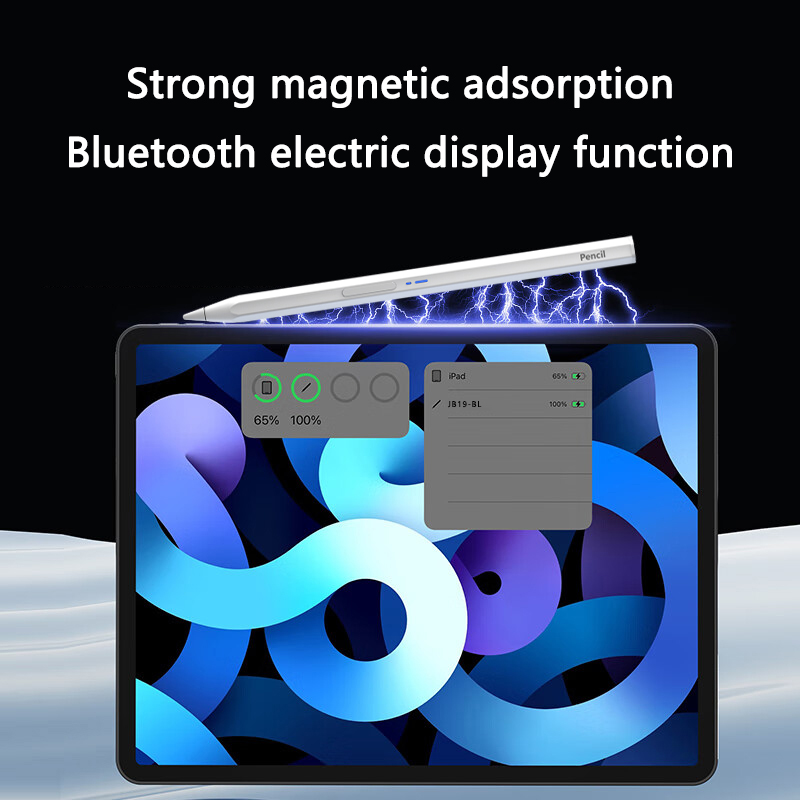
Use methods
1. Briefly press the button on the switch to turn it on. When the indicator light flashes, it starts to use. It automatically connects to the tablet or mobile phone Bluetooth (connected to the device automatically, but not connected to the device to prompt BP19-BL Bluetooth name connection). After connection, the indicator light remains on, and the color of the indicator light changes with the power level. The power level is 1-30% when the red light is turned on, 31-70% when the green light is turned on, and 71-100% when the blue light is turned on. You can also check the power level of the capacitive pen on the iPad; Open the photographing software on your tablet or phone, confirm that you need to take a picture, and within 5 meters, click the next function button to take a picture to save a single photo. Click to take a picture one at a time; When using Ipad, double-click the next function key to return to the function interface. Double clicking on non Ipad devices does not respond. During charging, the writing function will be automatically turned off and cannot be turned on, to protect product and personal safety.
2.Now you can start clicking on a tablet computer using a pen instead of a finger. You can also use a capacitive pen to write and paint in specific applications.". At the same time, it can also be connected to a tablet or mobile phone via Bluetooth in the wild or other places, and can be fixed with a bracket for remote control photography, especially suitable for team and family photo taking.
3.Press and hold the switch button for 2 seconds to turn off the machine.
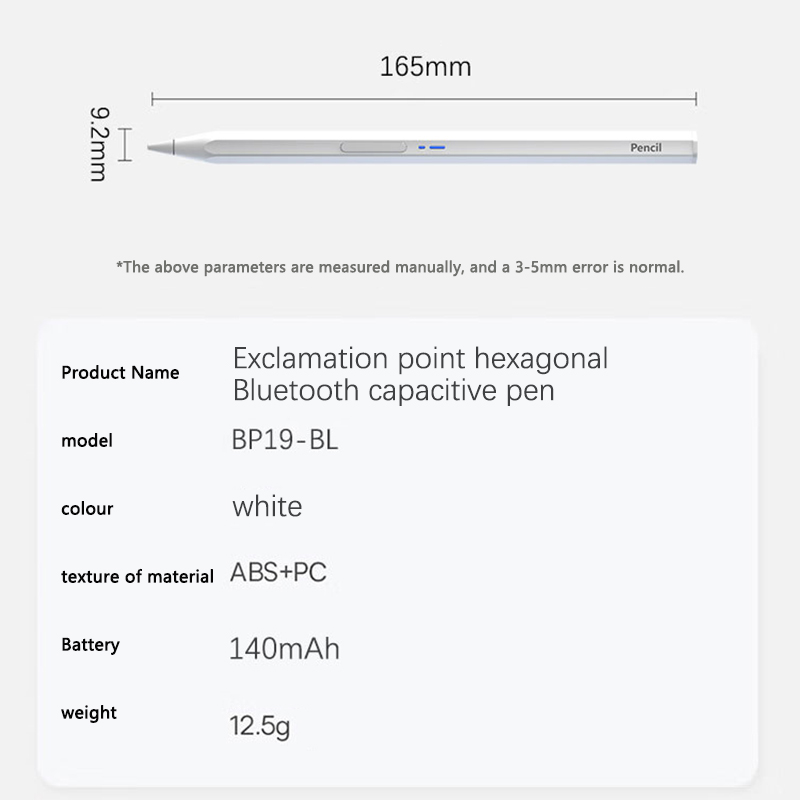
Specifications:
Material: High-quality Aluminum Alloy
Compatibility: Universal fit for various tablets including MatePad 11.5 S 2024, iPad Pro 11, 12.9, 13, Air 5, 4, and Android Tablets
Design and Style: Sleek and ergonomic design with a pen-like feel
Usage and Purpose: Ideal for drawing, writing, and annotating on touchscreen devices
Performance and Property: Precision tip for accurate and responsive touch
Parts and Accessories: Includes a stylus pen and a Bluetooth connection for seamless use

Features:
**Enhanced Precision and Versatility**
The Stylus Pen for MatePad 11.5 S 2024, Capacitive Pen for iPad Pro 11, and Pencil for Android Tablet is designed to elevate your tablet experience. Its precision tip allows for accurate and responsive touch, making it perfect for tasks that require detailed work, such as drawing, writing, and annotating. Whether you're using it for professional design work or simply taking notes, this stylus ensures a smooth and precise experience.

**Seamless Integration and Convenience**
This universal capacitive pen seamlessly integrates with your tablet or mobile phone via Bluetooth, offering a convenient and wireless solution for your creative and productivity needs. The automatic connection feature ensures that you can start using the stylus as soon as you turn it on, without the hassle of pairing. The pen's compatibility with various tablets, including the MatePad 11.5 S 2024, iPad Pro 11, 12.9, 13, Air 5, 4, and Android Tablets, makes it a versatile tool for users across different platforms.

**Durable and User-Friendly Design**
Crafted from high-quality aluminum alloy, this stylus pen is not only durable but also stylish. Its ergonomic design ensures a comfortable grip, allowing you to work for extended periods without fatigue. The stylus is equipped with a power indicator that lets you know the battery level, ensuring that you're always ready to use it. The automatic shut-off feature protects the product and your safety during charging, making it a user-friendly and reliable accessory for your tablet.


